
MeterGrapher Software Package – User Documents – Using MeterGrapher
Response times – Details
Using MeterGrapher
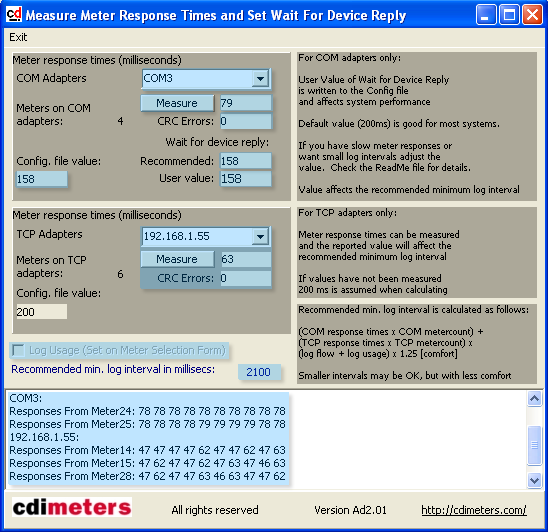
Adapter seclected.
Click here to measure.
Recommended is twice the measured value.
You may enter a value here. Anything greater than the measured value is probably OK. The value entered will be written to the config file and will affect system performance.
Value written to the config file.
The measured value will be used, and thus affect the Recommended Minimum Log Interval.
This value is set on the Meter / Parameter Selection Form and displayed here for information.
This value is calculated from meter counts and characteristics.
Responses (milliseconds) from meters. The first three meters on each adapter are sampled ten times.
Measured value. This is the maximum of all the values polled. Individual values can be seen in the memo field at the bottom of this form.
No CRC (cyclic redundancy check) errors. If there are many errors, check hardware and wiring.