
MeterGrapher Software Package – User Documents – Using MeterGrapher
Password
Using MeterGrapher
The Meter Library, Config and Renumber forms will be password protected
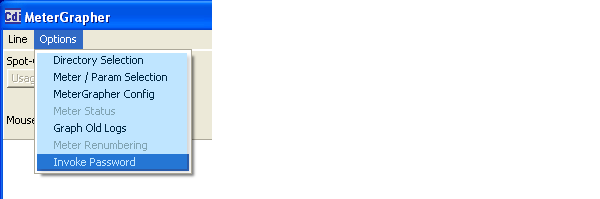
By default password protection is disabled. If you wish to password-protect the forms where configuration values are set, use options / Invoke Password.

Are you Sure? You can remove the password later – but only if you know the password!
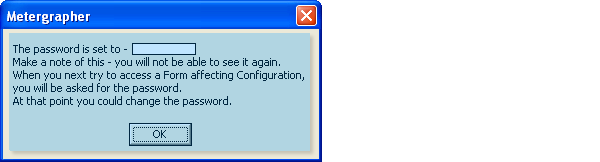
This dialog shows the default password (blanked out in this picture).
When you next choose to change a configuration form, you will be asked for a password: –
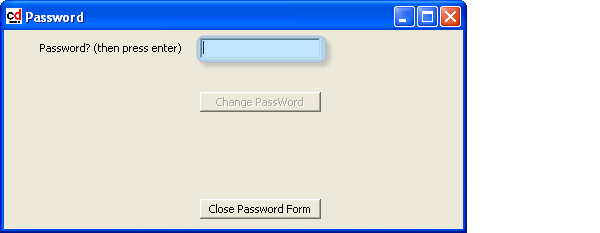
Type in the current password and press ‘Enter’ on the keyboard.
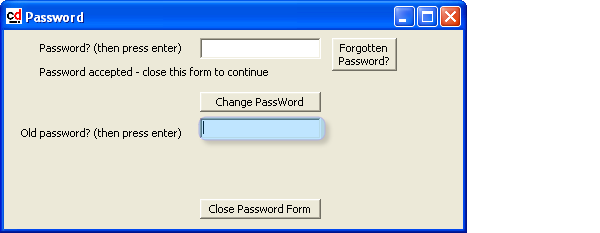
Type in the old password and press ‘Enter’ on the keyboard.
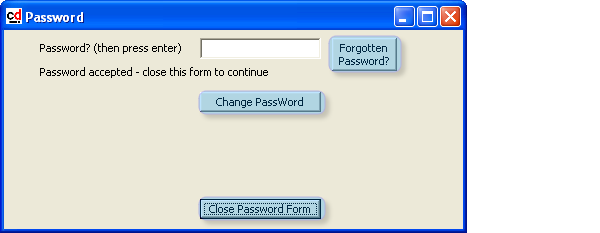
If the password has been forgotten then click this button to reset the password back to the default. Please contact CDI Meters Inc. for the default password.
Once the password has been accepted the change password option is invoked.
If the password is accepted, and you do not wish to change the password, click the ‘Close Password Form’ button to continue.

Type in the new password in the first field and press ‘Enter’ on the keyboard, then retype the new password in the second field and press ‘Enter’ again.
Remove Password Protection on Configuration Forms.
A blank password is allowed. If this is set the user just has to press the Enter key twice when the password form appears.