
MeterGrapher Software Package – User Documents – Using MeterGrapher
Meter Renumbering Stepwise Start
Using MeterGrapher
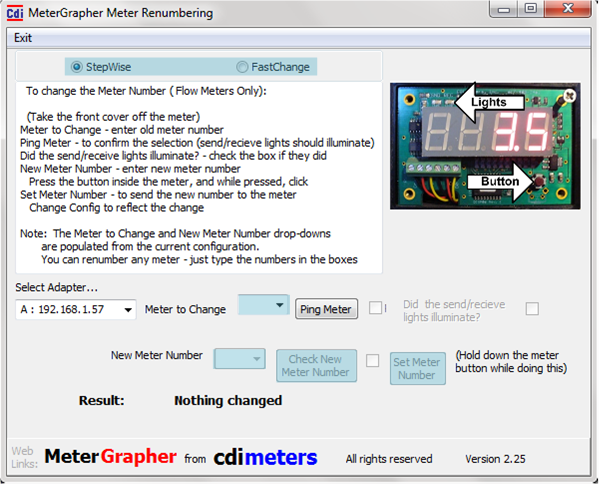
Stepwise guides you through the process and checks each step of the Way. FastChange allows rapid changes with no checking.
Only meters in your configuration will appear in the drop-down. If you have a meter in your system that is not in your MeterGrapher config, type the number in the box (or use the Fast Change option).
These controls become available progressively.
Values in the drop-down are not in your config.
Check new meter number is not already on your system.
Press the button inside the meter, and while pressed, click the ‘Set Meter Number’ button. This will send the new number to the meter.